
01
Statement Import & Parsing
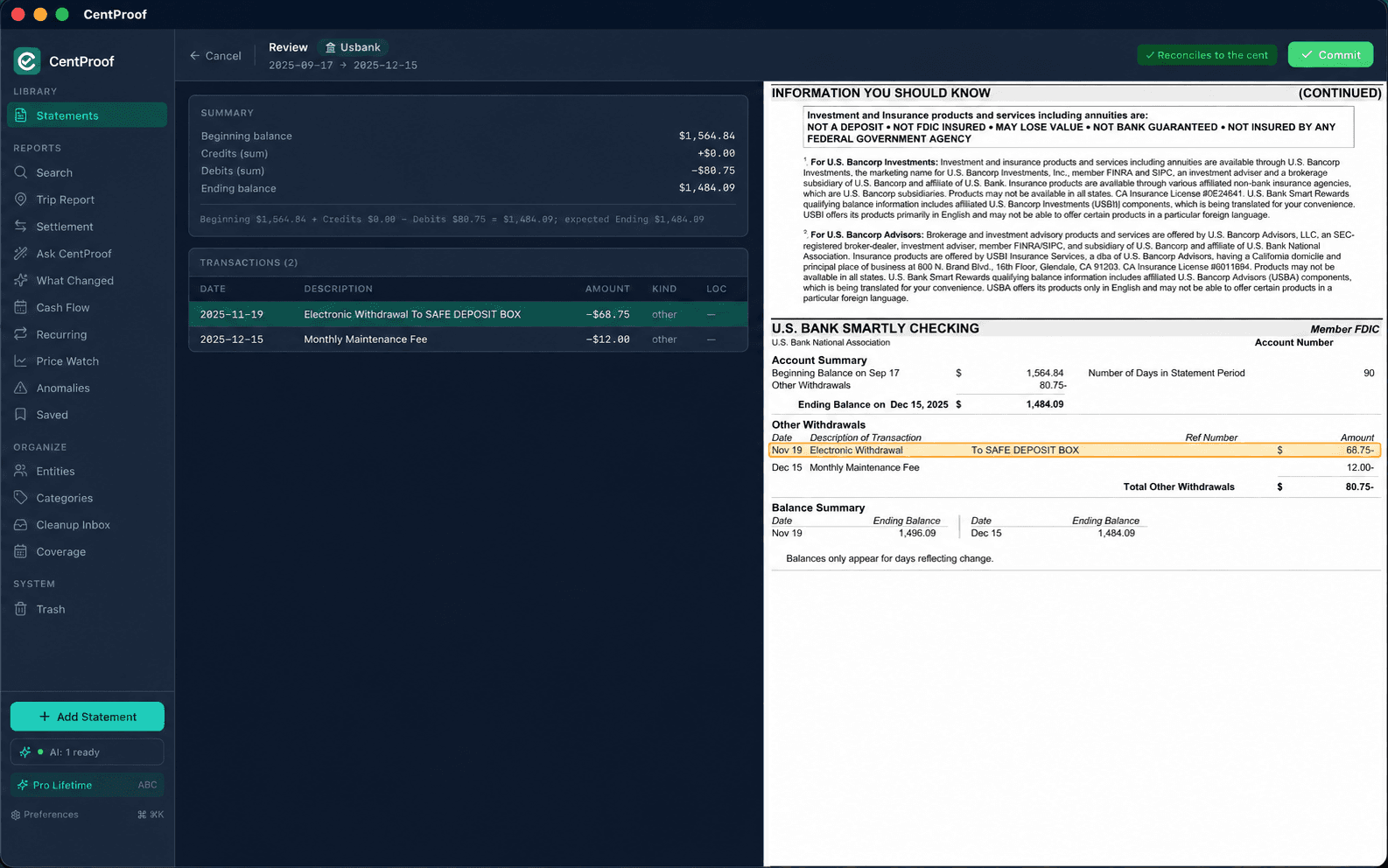
CentProof reads bank and credit-card PDF statements directly on your Mac. It extracts rows, dates, descriptions, amounts, and balances from supported formats, then keeps the original statement relationship visible.
Product tour
CentProof imports bank and credit-card PDF statements, reconciles the math, organizes financial history, and answers questions with source rows you can inspect.
Tour
Import statements, reconcile to the cent, search and ask questions, all locally on your Mac.
01
CentProof reads bank and credit-card PDF statements directly on your Mac. It extracts rows, dates, descriptions, amounts, and balances from supported formats, then keeps the original statement relationship visible.
02
Imported statements are checked against their own opening and closing balances. If the math does not reconcile, CentProof flags the import before you rely on the data.
03
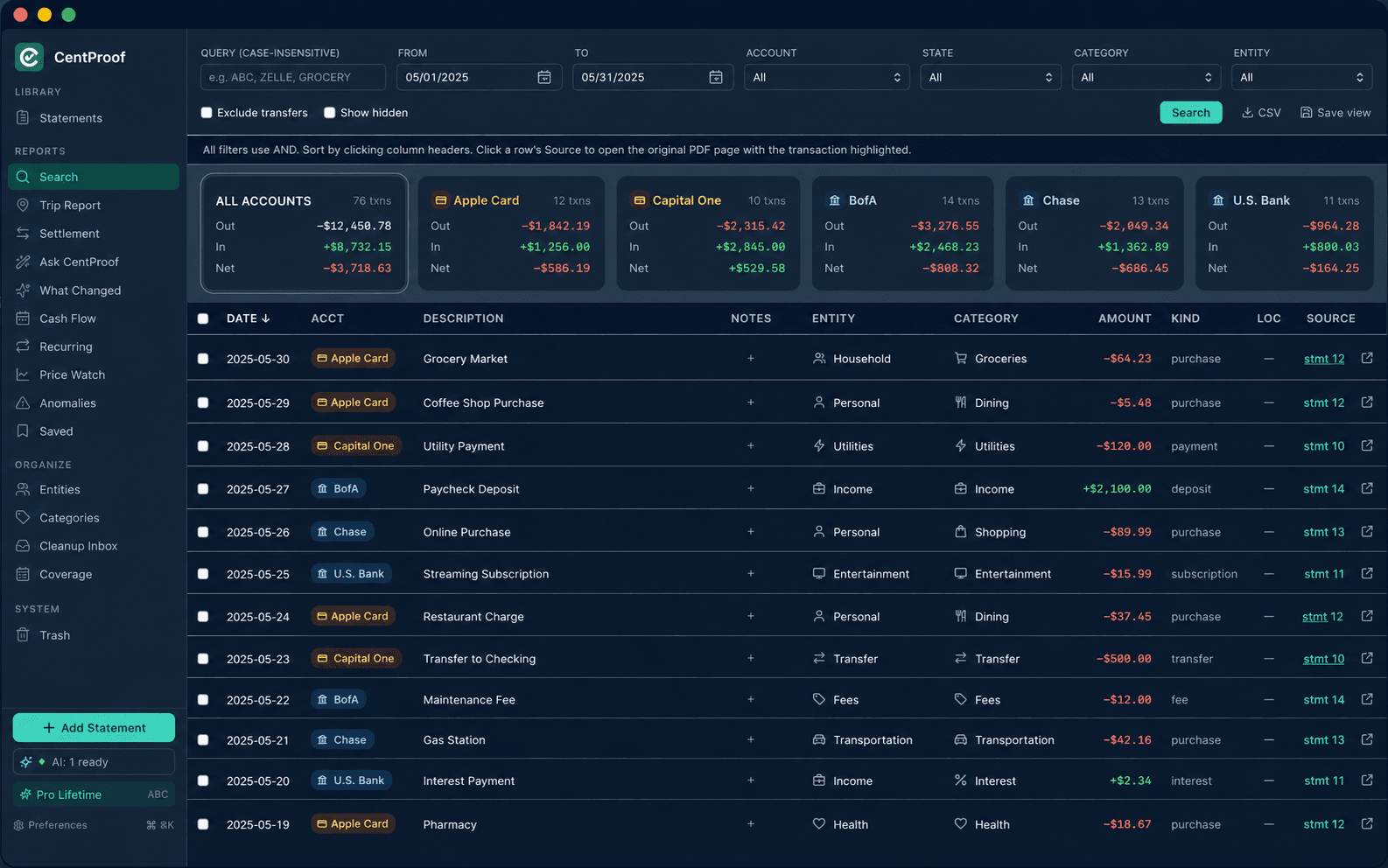
The transactions view gives you fast search and filtering across statement-backed history. Filter by account, entity, category, amount, direction, source, and free text.
04
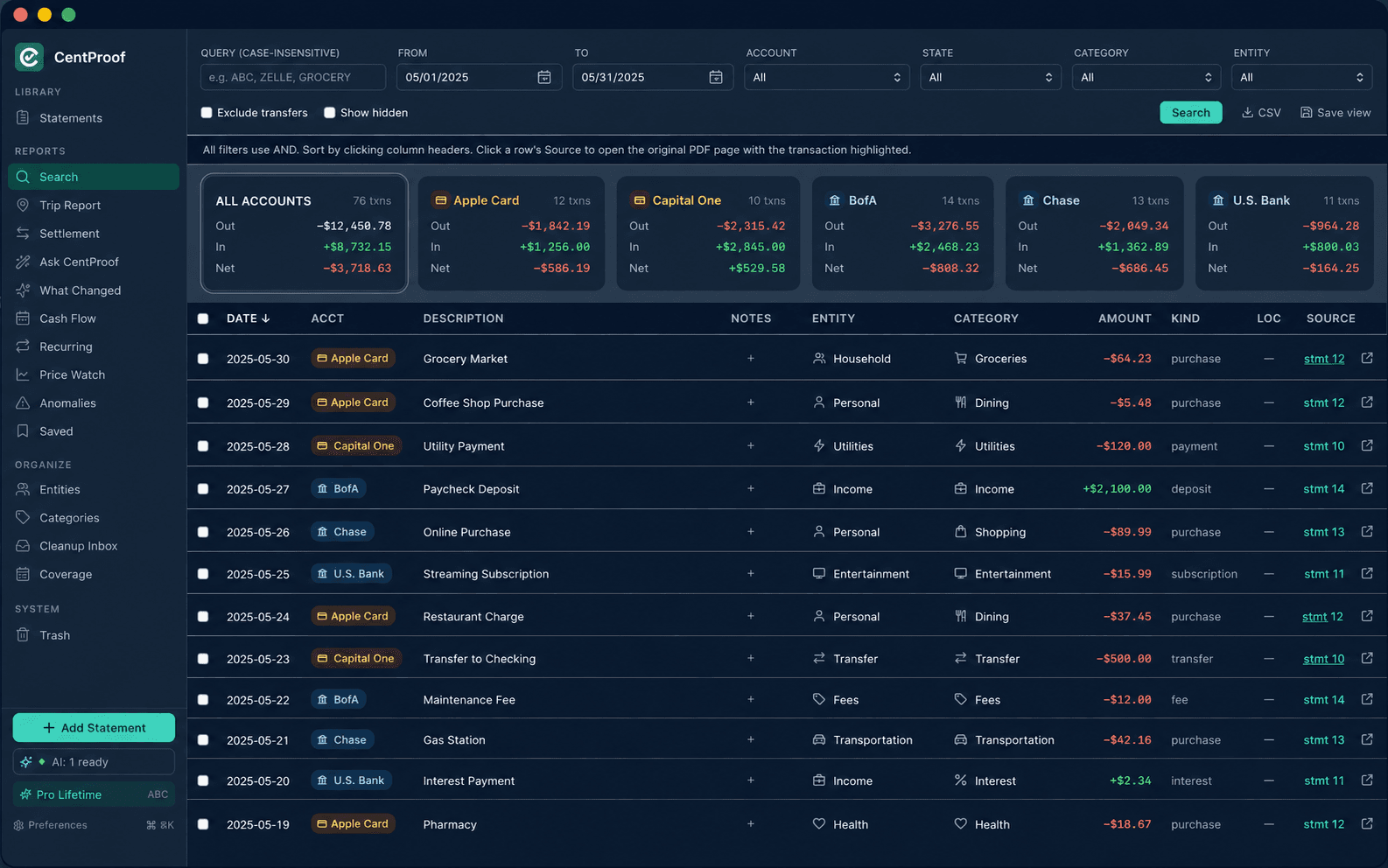
Clean up raw bank descriptions into entities, categories, and notes. Local suggestions stay reviewable, and your accepted tags can be applied across matching history.
05
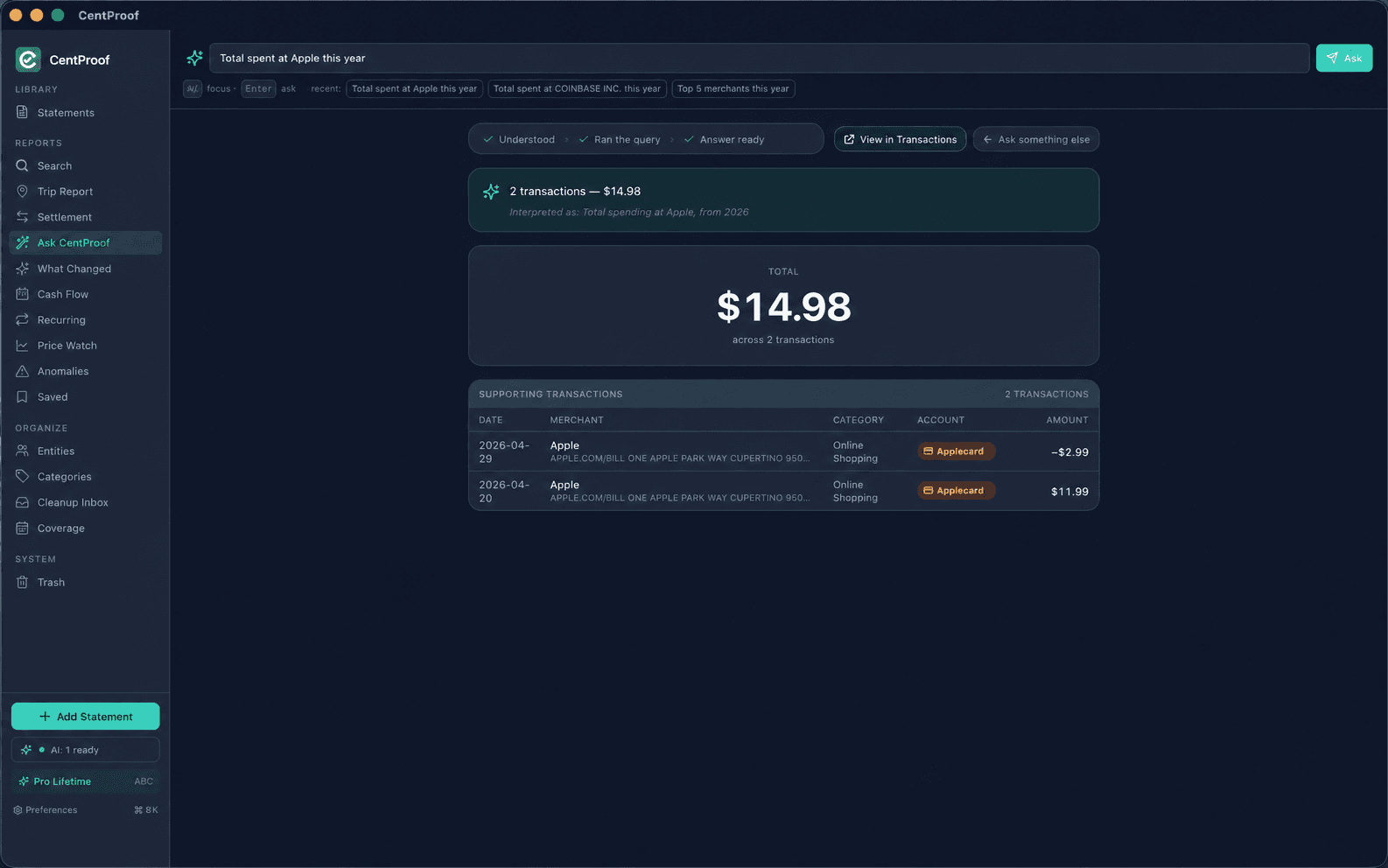
Ask a plain-English question and CentProof turns it into a safe local query. The answer comes back with supporting source rows so you can check the math.
06
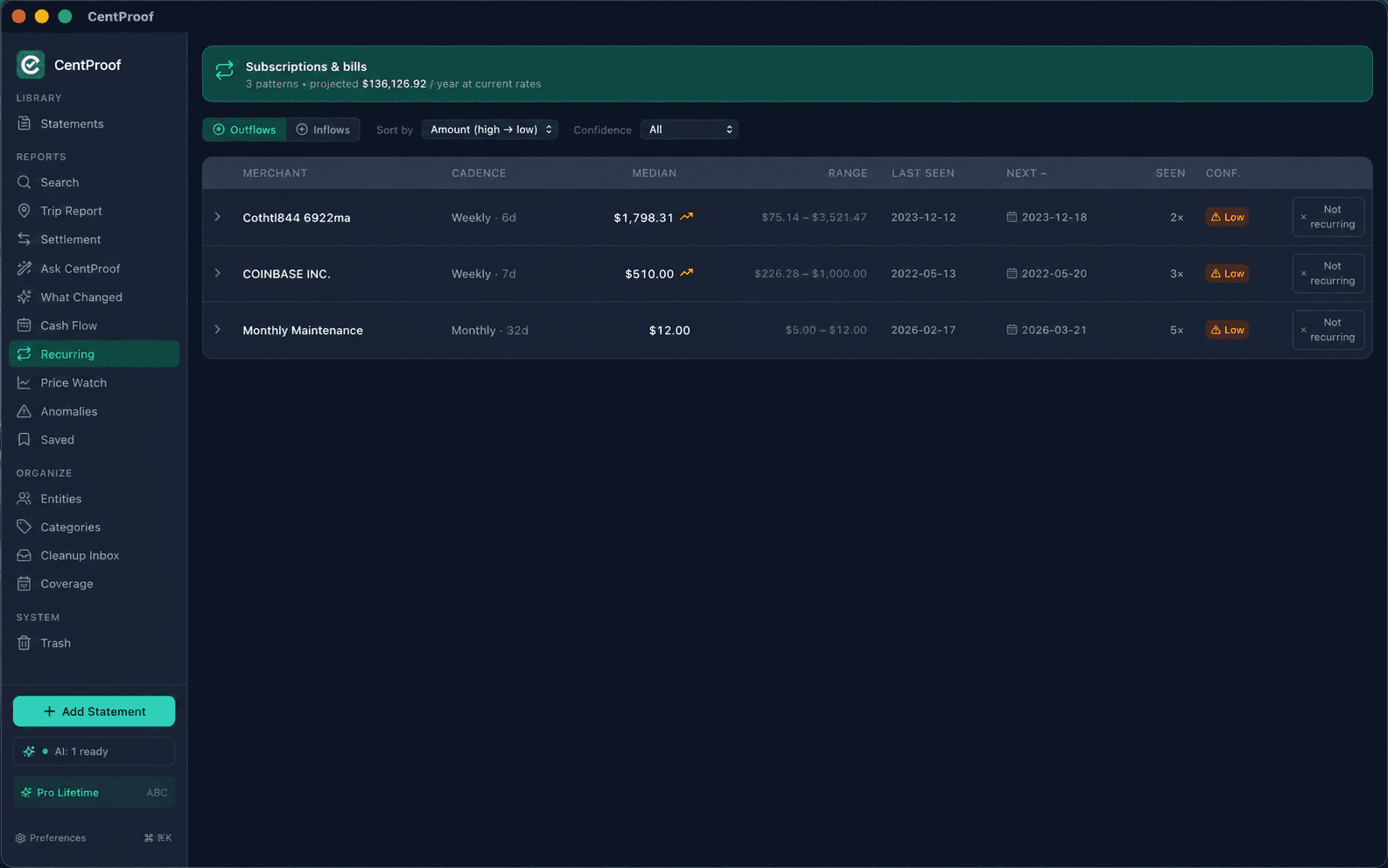
CentProof detects repeating charges from imported statements, including merchant, cadence, and amount changes. It works from statement history you control.
07
The cleanup inbox is a focused workspace for messy statement descriptions. Review one merchant pattern at a time and keep control of every accepted change.

08
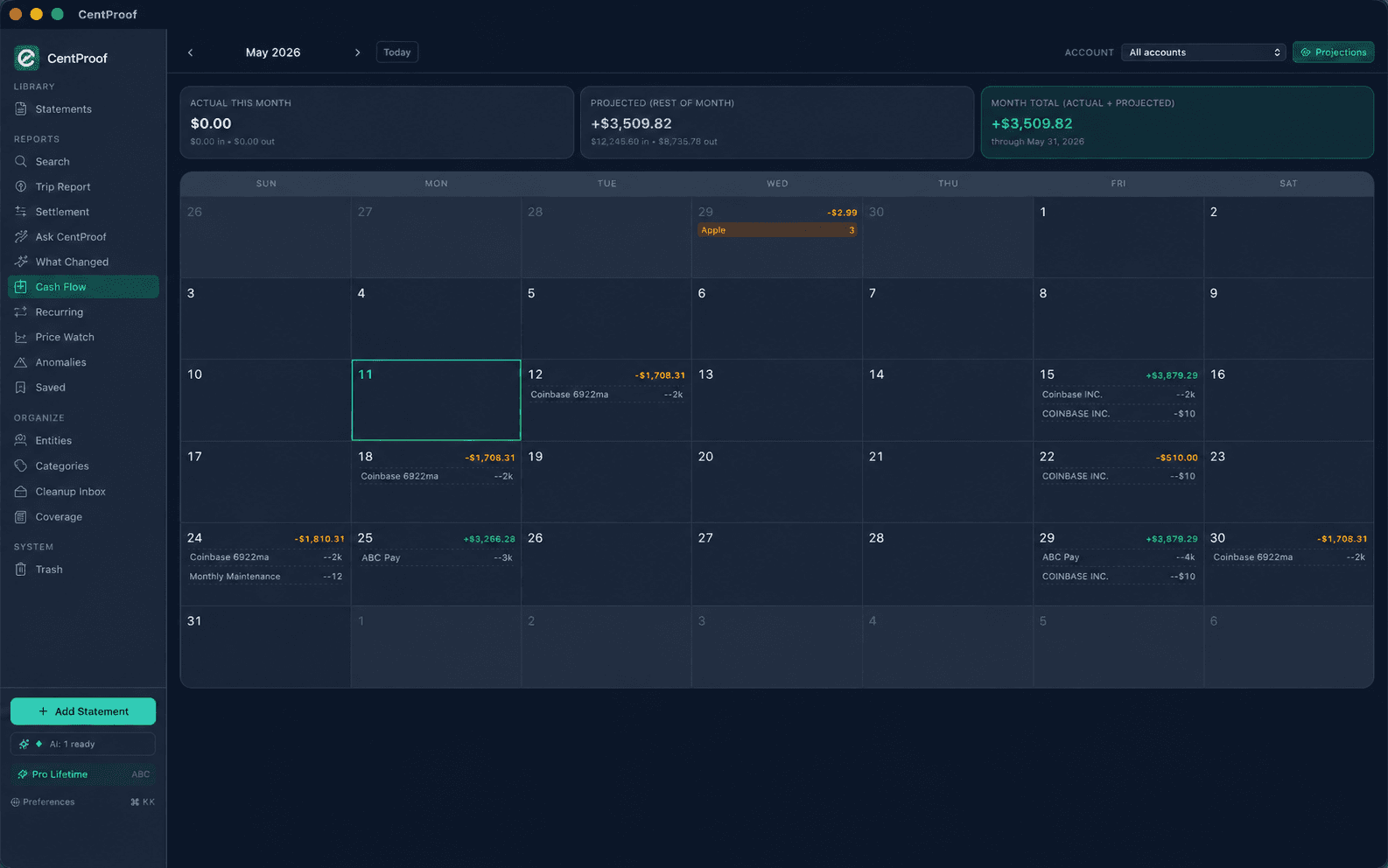
Cash-flow views summarize actual imported activity by day and month. The goal is clarity from verified statement data.
09
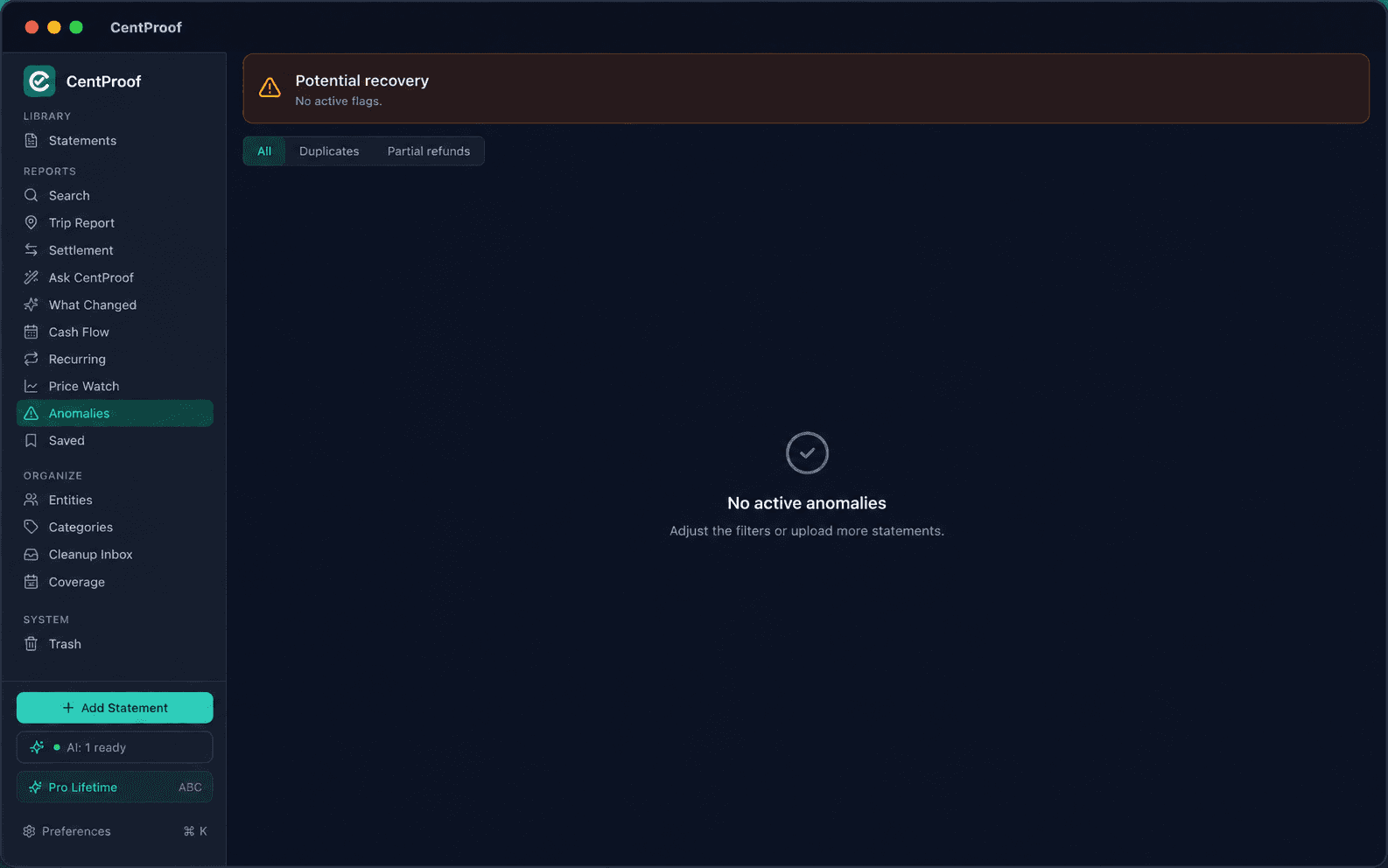
CentProof flags unusual charges based on your history. Local AI can explain why a row looks different, while the amount and source remain unchanged.
10
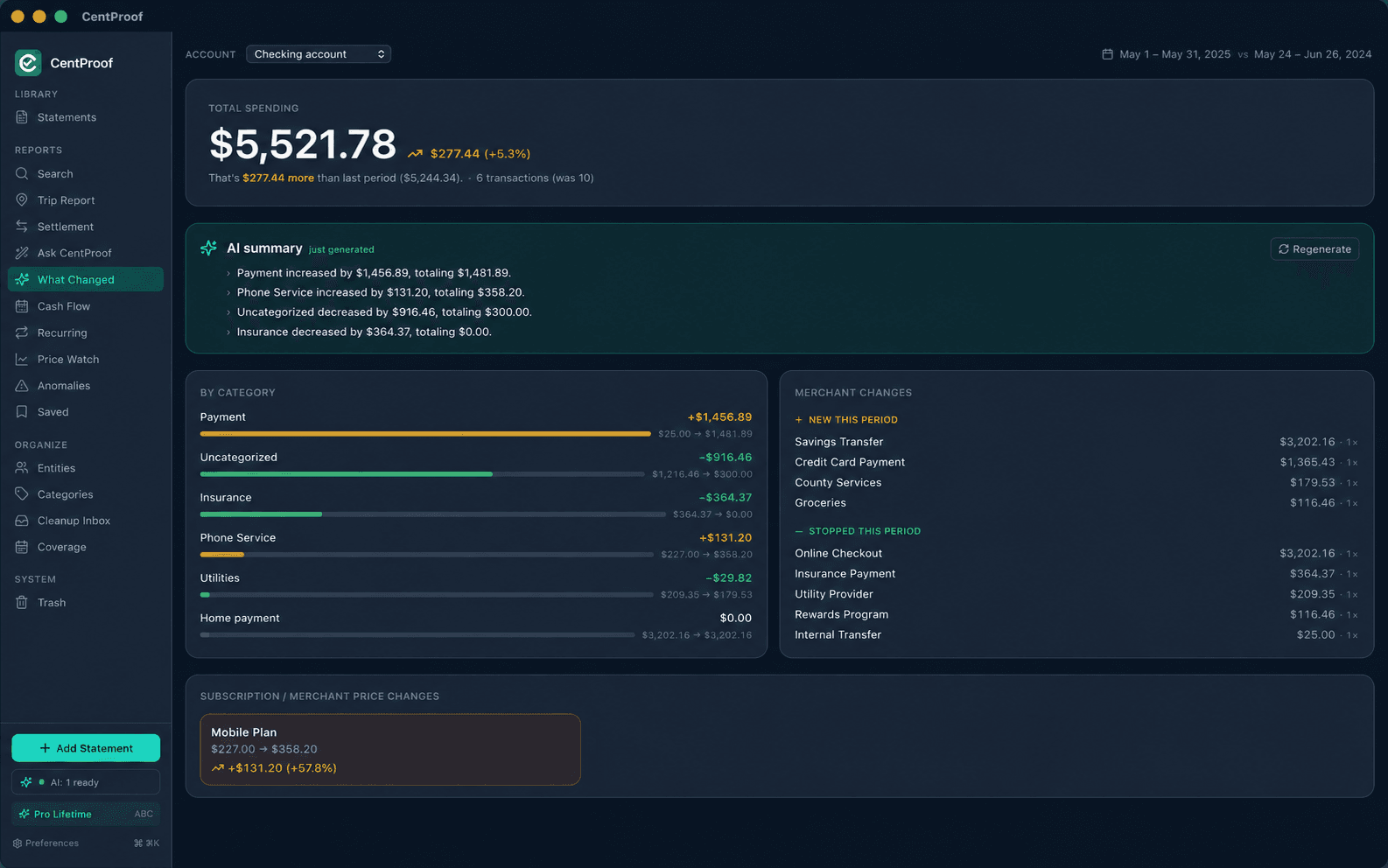
Compare imported periods and see which merchants or categories drove the difference. Summaries are useful because they stay tied to source rows.
11
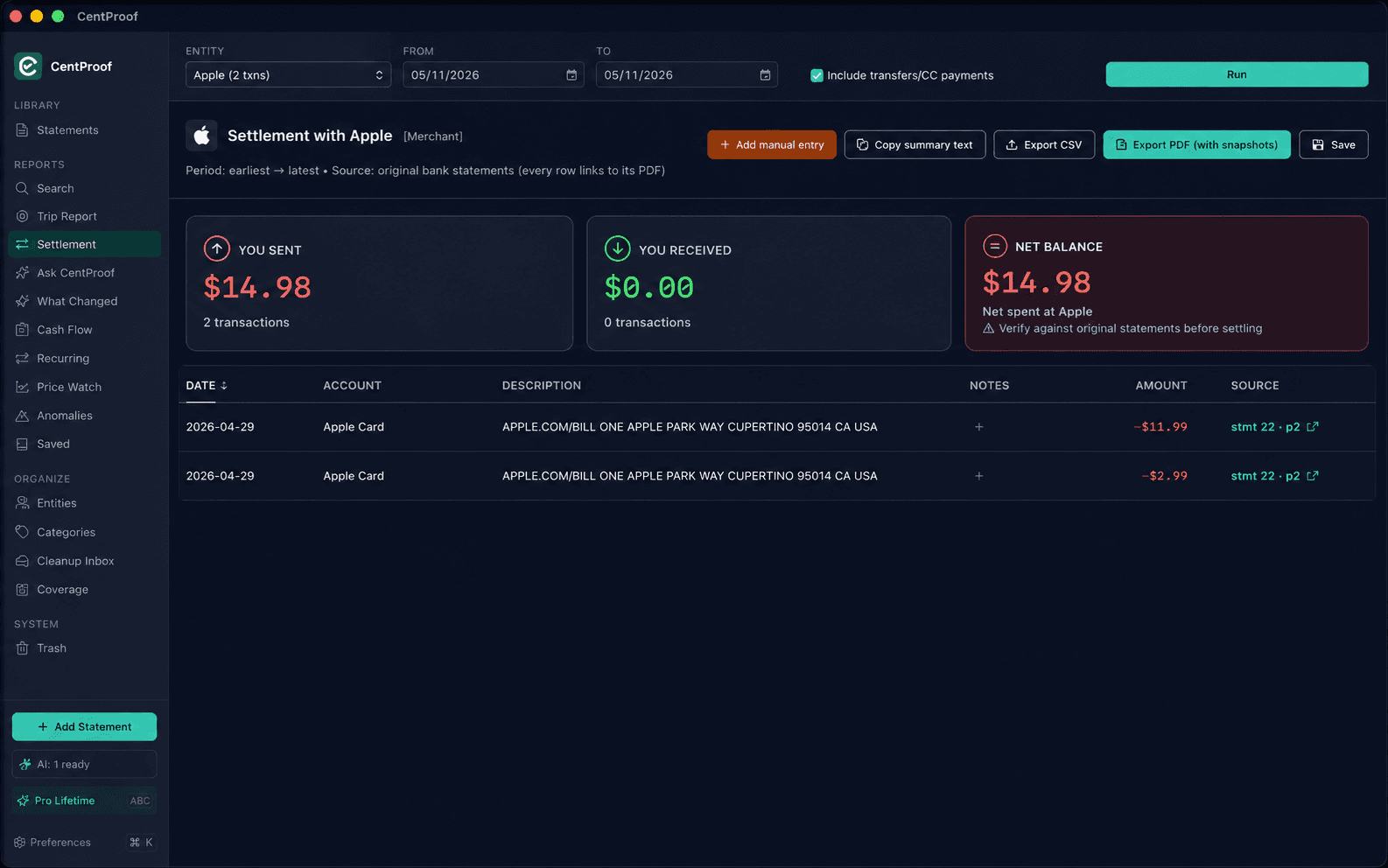
Pick a date range (Tax year, Year-to-date, Last 3 months, Last 90, Last 30, or custom) and CentProof sums every credit and debit across one account or all of them. The outgoing breakdown groups by kind so credit-card payments and account transfers stay visually separate from real expenses. Save as a one-page PDF for your CPA, or pick the Detailed PDF to include every transaction listed with a cropped snapshot of its source bank-statement row in an appendix.
12
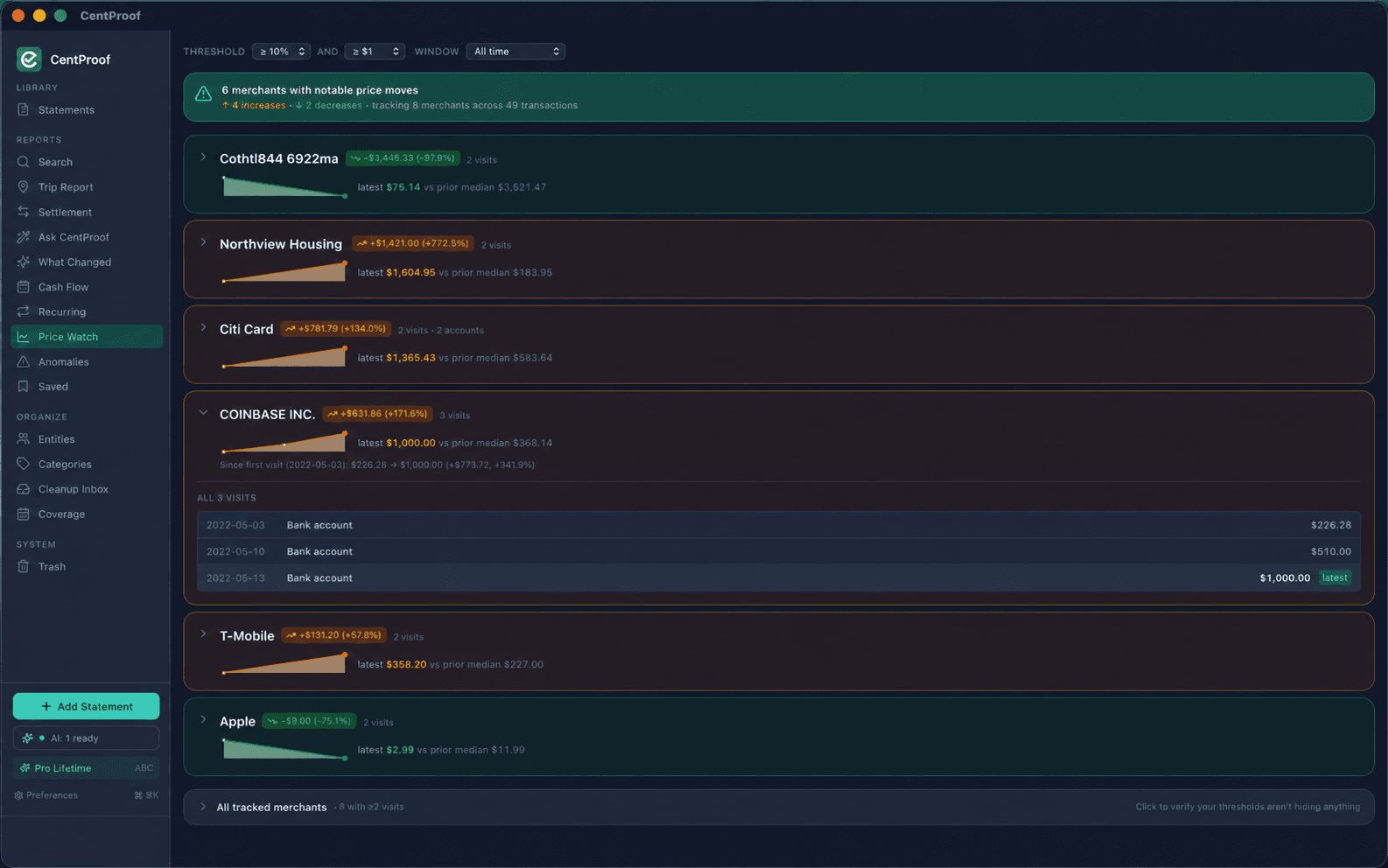
Track merchant prices over time from statement history. Use it to catch subscription increases, annual fees, or recurring cost changes.
13
Trip reports, settlement reports, the Tax Summary, search exports, and PDF previews — all built from reconciled, source-linked data. Settlement and Tax Summary both export a clean one-page PDF or a detailed PDF that includes a cropped snapshot of every transaction's source bank-statement row, so anyone reading the report can verify the numbers without opening the original PDFs. Off-statement cash flows (contractor cash payments, owner draws, tax-year adjustments) can be added as manual entries that show up clearly tagged as user-recorded throughout.
14
Your data lives locally, so it can be backed up with the Mac tools you already use. Export formats keep your history readable outside CentProof.

Go deeper
Two longer-form ways to evaluate CentProof — a founder podcast covering why we built it and what's deliberately not in it, plus a 13-page product brief in PDF so you can read offline or send it around.
Listen to the podcast
Embedded player is loaded on click, not page load — your visit isn't shared with Spotify unless you ask for it.
Read the product brief
13 pages · PDF · 6.5 MB
The full positioning, architecture, and feature deep-dive in one downloadable document. Useful for sharing internally or reading away from the browser.